Scheduling dump trucks looks simple on a whiteboard: this many loads, from this pit, to that site, starting at six. In practice it changes all day — a driver doesn't start, a truck fails its pre-trip, the site isn't ready, a carrier comes up short. The plan is only as good as what you can see once the day starts.
When we built Carry Ops with Avensis Energy, an aggregator coordinating multiple carriers across pits and job sites, the daily scramble was one of the clearest places technology could ease tensions. Most of the friction between dispatch, carriers, pits and sites came from everyone working off a different picture of the day.
Start the schedule with the job, not the trucks
A good schedule starts from the work: the lane, the material, the tonnage target, how many loads per day, the days the job runs, and the pickup hours at the pit. When that lives on one job record, every carrier who takes the work — and every driver who runs it — is working from the same plan, not a phone call from 5:30 a.m.
Know which trucks can actually roll
The truck count on the whiteboard isn't the truck count at the pit. Before the day starts, you want to know:
- Which drivers have started their shift.
- Which trucks passed their pre-trip — and which are blocked by a critical defect until they're fixed.
- Which carriers are verified and current — an expired insurance certificate shouldn't surface at the scale.
- Who is available, assigned or already delivering.
When those four things are visible on one screen, dispatch stops calling drivers all morning to find out who's actually coming.
Let the pit and the site see the day too
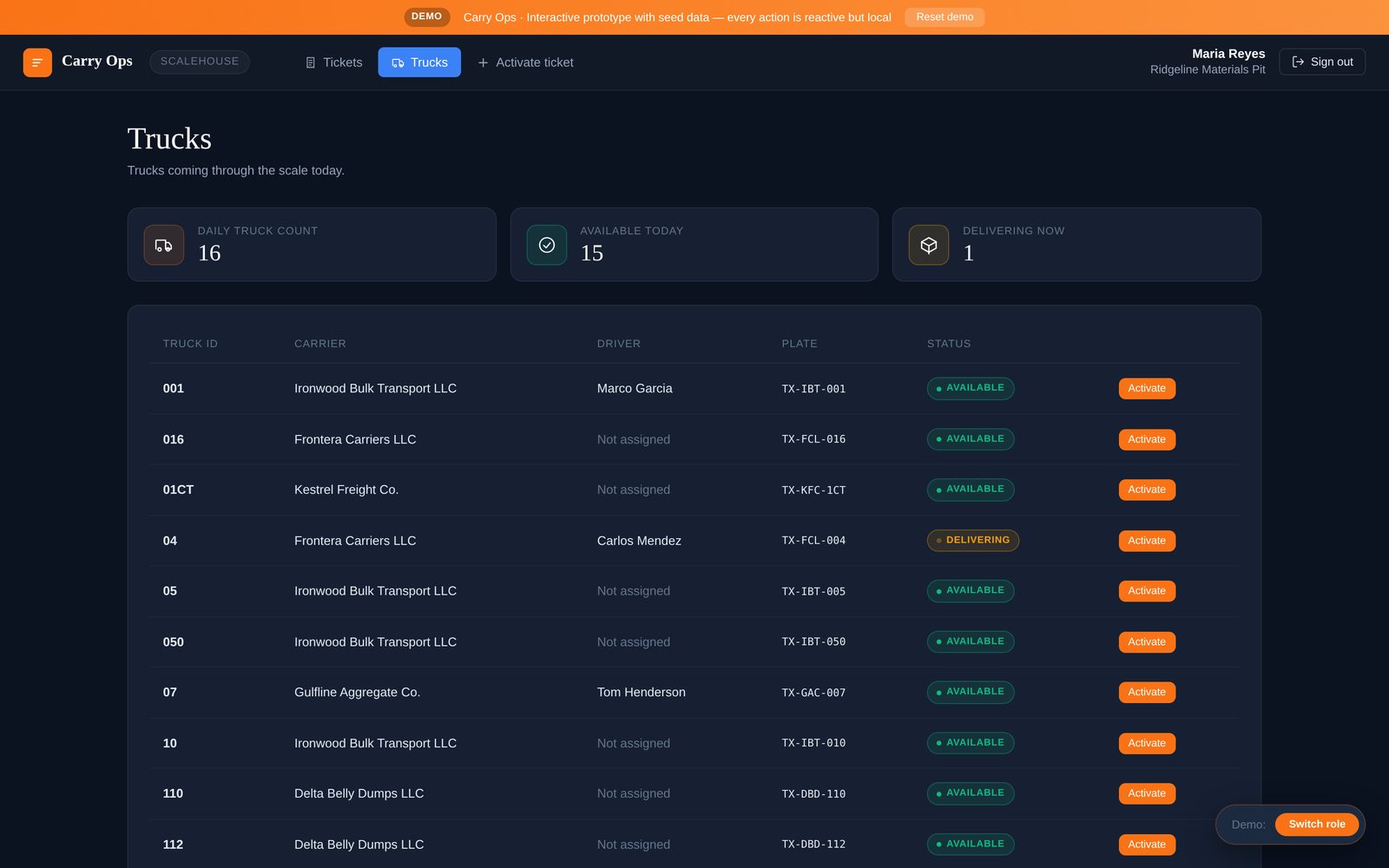
Scheduling breaks down when only dispatch can see it. The scale house should see the trucks coming through today and which are available or already delivering. The destination attendant should see which loads are headed to their site. When both ends can see the plan, a late truck or a wrong-site delivery shows up as an exception instead of a surprise.
Handle the gaps before they become delays
- A truck fails its pre-trip. It's blocked from dispatch automatically, so you know immediately and can reassign.
- A carrier comes up short. Post the gap to verified carriers on a private bid board, or send a set rate to carriers who can run it.
- A load drifts off schedule. Everyone tracking the same load means dispatch sees it before the customer calls.
- The phone keeps ringing. Delivery-status calls get answered from the ticket record; only real dispatch calls reach dispatch.
Don't forget the people schedule
Driver scheduling isn't only today's loads. New drivers need orientation dates, reminders and rescheduling, and documents that expire need to be renewed before they take a truck off the road. Those dates belong on the same record as everything else.
How this works in Carry Ops
In Carry Ops, each job carries its lane, equipment, tonnage, loads per day, window and pickup hours, and awarded carriers coordinate their drivers from their own portal. Platform drivers start their shift and run a pre-trip on their phone; a critical fail locks dispatch for that truck. The scale house sees the trucks coming through today — available, assigned or delivering — and each site sees its incoming loads. Gaps can go straight to the private bid board, delivery-status calls are handled by the Virtual Front Desk, and orientation dates for new drivers come with reminder calls. Planning & Forecasting, for longer-range capacity planning, is next on the roadmap.