When you put twenty or fifty outside trucks on a job, you're trusting that every one of those carriers has current insurance, a W-9 on file and a safety record you'd be comfortable defending. For most operations, the proof of that lives in email attachments — and a lapse gets discovered after an incident, not before the load.
Carrier verification turned out to be the piece Avensis Energy cared about most when we built Carry Ops together. Their whole business is a private network of carriers they vouch for to their customers. If one of those carriers isn't insured on the day of the haul, the risk lands on the people who put them on the job.
Why the inbox doesn't work
The typical setup goes like this. A new carrier wants work. Someone emails them a packet. A certificate of insurance comes back as a PDF, maybe a W-9, maybe not. It gets saved in a folder, or in the email thread, or nowhere. The carrier starts hauling.
Six months later the policy renews — or doesn't. Nobody is watching expiration dates across dozens of carriers. The spreadsheet of "approved carriers" says they're fine because it was true once. And when the question finally comes up, someone spends an afternoon digging through email to find out.
What a real verification process checks
At minimum, before a carrier gets a single load:
- Certificate of insurance — active, with an expiration date someone is tracking.
- W-9 — on file before you owe them money, not after.
- MC and DOT numbers — so you know who you're actually dealing with.
- Safety rating — and whether it's satisfactory, conditional or something worse.
- Fleet and drivers — how many trucks, what equipment (belly dump, end dump), and who's driving.
The important part isn't collecting these once. It's that each item is checked as it comes in, and that the carrier can't receive work until the packet is complete.
Make "no paperwork, no load" automatic
The rule everyone agrees with — no current insurance, no load — only holds if it doesn't depend on someone remembering. Three practices make it stick:
- One packet, one place. Every carrier submits the same documents through the same front door, and every one of them lands on that carrier's record.
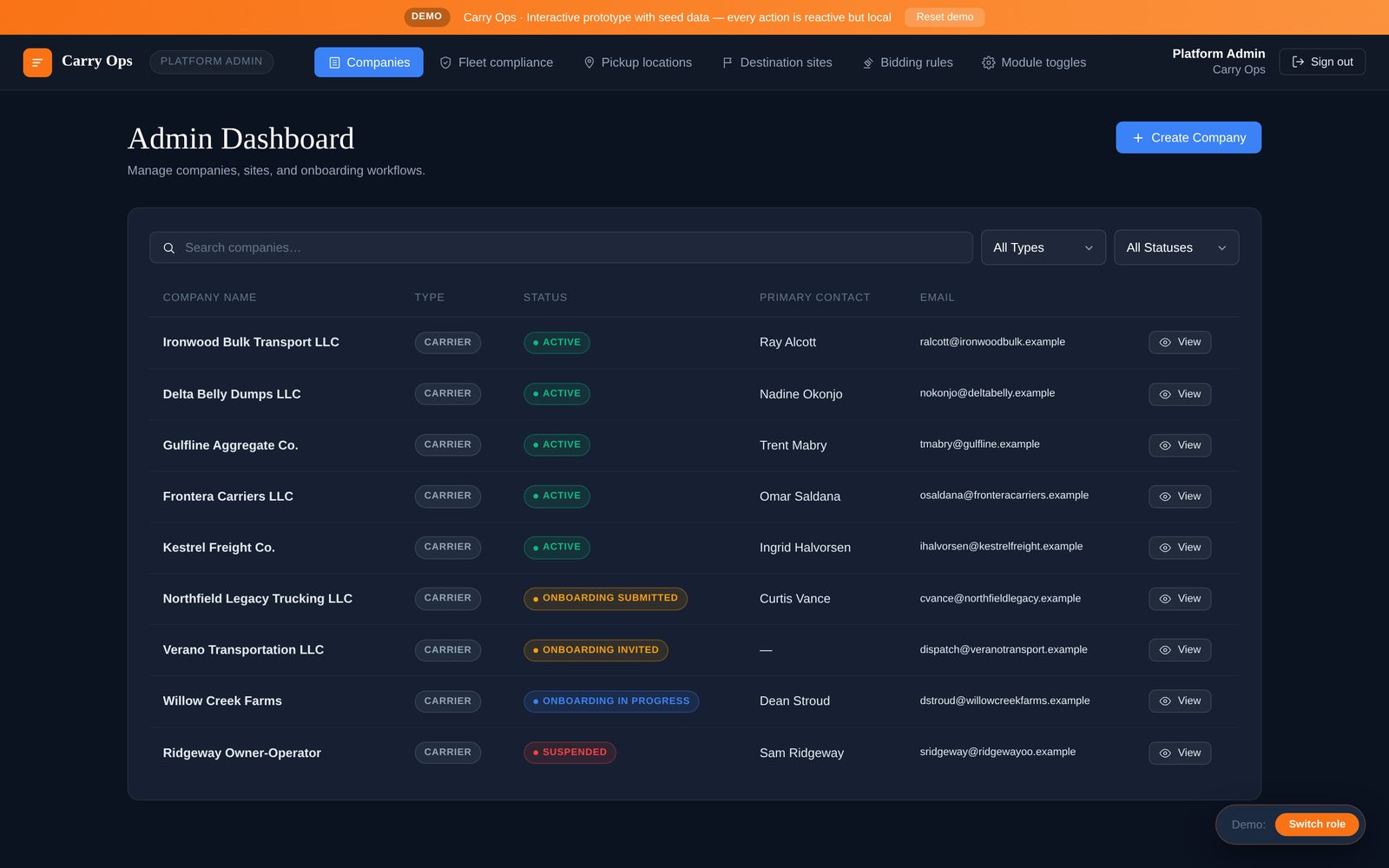
- Status that gates work. Carriers move from invited, to in progress, to submitted, to active. Only active carriers can receive loads or bid invitations. Suspended means suspended.
- Expirations that flag themselves. A certificate that's about to lapse should show up as a warning before the next load, not as a surprise after an incident.
Don't make it a burden for good carriers
Your best carriers are re-sending the same insurance certificate to every customer they work for. Make it easy: a clear checklist, documents they upload once, and a portal where they can see what's still missing. Carriers who've done the paperwork should feel the benefit — they're the ones who get invited.
A ten-minute audit of your carrier list
Before you buy anything, try this. Take your list of active carriers and, for each one, find three things: the insurance certificate currently on file, its expiration date, and the date you received their W-9. Time how long it takes.
If you can do it in ten minutes for the whole list, your process is in good shape. If it takes an afternoon — or you find carriers hauling for you this month whose certificate expired last quarter — the gap isn't the people. It's that the paperwork has no home and nothing is watching it.
The same exercise tells you how exposed your customers are. If you're an aggregator, your customers are trusting that every carrier you send them is covered. If you're a contractor, the trucks on your job are on your job. Either way, "we had it on file somewhere" isn't an answer anyone wants to give after an incident.
How this works in Carry Ops
Carry Ops makes carrier onboarding with verification a core part of the platform. Carriers join through a digital packet — insurance, W-9, MC and DOT numbers, safety rating, trucks and drivers — and each item is checked as it comes in. A carrier with expired insurance or missing paperwork never receives a load or a bid invitation. Admins see every carrier's status on one screen, from invited to active to suspended, and each carrier gets its own portal for invitations, awarded loads, tickets, fleet and drivers.