State DOTs are moving away from paper haul tickets. If you supply or haul material on state DOT projects, you've probably already seen an e-ticketing requirement in a bid package — or you will soon. Here's what contractors and aggregators should actually know, without the hype.
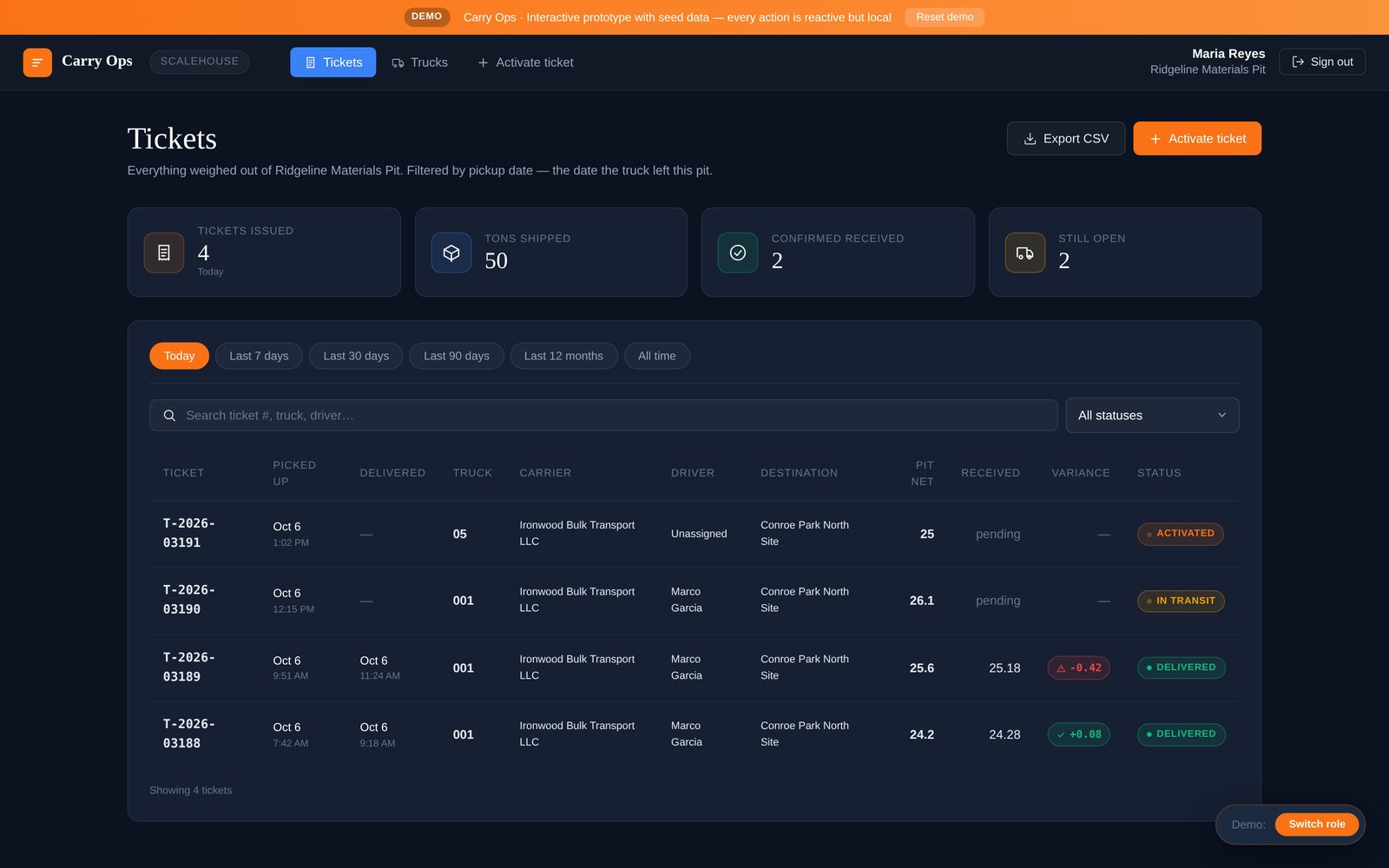
I'm writing this from the operator's side. We built Carry Ops alongside Avensis Energy, an aggregator that runs carriers for its customers, so the question we hear isn't "what is e-ticketing?" It's "what do I have to do on this job, and does it change anything on my private work?"
Where the states are
- Twelve states now require e-ticketing on DOT projects: Alabama, Florida, Georgia, Iowa, Kentucky, Minnesota, Missouri, North Dakota, Pennsylvania, Utah, Virginia and Wisconsin.
- Forty-three state DOTs are adopting e-ticketing under FHWA's Every Day Counts (EDC-6) program.
- Georgia's 2026 mandate names belly dumps explicitly and requires GPS on vehicles delivering weighted material.
Requirements differ by state and are still changing, so always read the specification for the specific project you're bidding.
The mandate attaches to the job, not the company
This is the part that gets misunderstood. An e-ticketing mandate applies to a DOT project. A contractor has to e-ticket on that state job; the same firm has no legal obligation to e-ticket on private work. Nobody is required to buy software because of their company size or name.
In practice, most firms do both kinds of work. The DOT job is usually where e-ticketing starts. Private work is where it pays for itself, because the same problems — missing tickets, late invoices, weight disputes — happen there too, without a DOT inspector asking.
Why the states care
Paper tickets are expensive for the agencies too. Alabama DOT estimates that eliminating paper tickets saves $4–8 million a year, or about 1–2% of construction cost. Inspectors don't have to collect slips at the paver, quantities reconcile faster, and there's a cleaner record when something is questioned.
What an e-ticketing setup should handle
Whatever a specific state requires, a setup that works in the field covers the basics:
- The ticket data leaves the scale electronically — gross, tare, net, material, time — without someone re-typing it.
- The driver doesn't need an app. Subhauler drivers on a DOT job may only run a few days. A text link works; another app to install doesn't.
- Delivery is confirmed at the site with time, signature and, where required, location.
- The record is exportable as PDFs and data files for the agency, your office and your customer.
- It works in Spanish. At least 23.7% of the US truck-driver workforce is Hispanic. A driver workflow that's English-only leaves people out.
Getting ready before the bid
Don't wait for the award to figure this out. Ask the pits you'll pull from how they issue tickets today, list the carriers you'll use, and decide who on your side owns the e-ticket record. The firms that move first use the DOT job as a reason to fix ticketing everywhere.
Questions to ask before your first e-ticketed job
- Which pits on this job issue tickets electronically today, and how do they share them?
- Which carriers will run the job, and how will their drivers receive tickets?
- Who confirms delivery at the site, and how?
- What exactly does the project specification ask you to submit, and in what format?
- Will you run the same process on your private work, or keep two systems?
The answers will tell you how much of the job is ready for e-ticketing and where the gaps are, before anyone is waiting on a ticket at the paver.
How this works in Carry Ops
Carry Ops connects to the ticket module the pit already runs and sends each ticket by magic link to the driver and the destination attendant. Drivers scan at pickup, carry GPS and photos on the run, and sign on delivery — no app, no login, in English or Spanish. The site weighs in and signs, every ticket files as a PDF, and any date range exports as a CSV. The same flow runs on DOT jobs and private work, so you aren't running two systems.